How-to
Answer a question and plan a measure
For every question you record how far the requirement is met today. If that is below the target, you plan a measure with a deadline and a responsible person.
Step by step
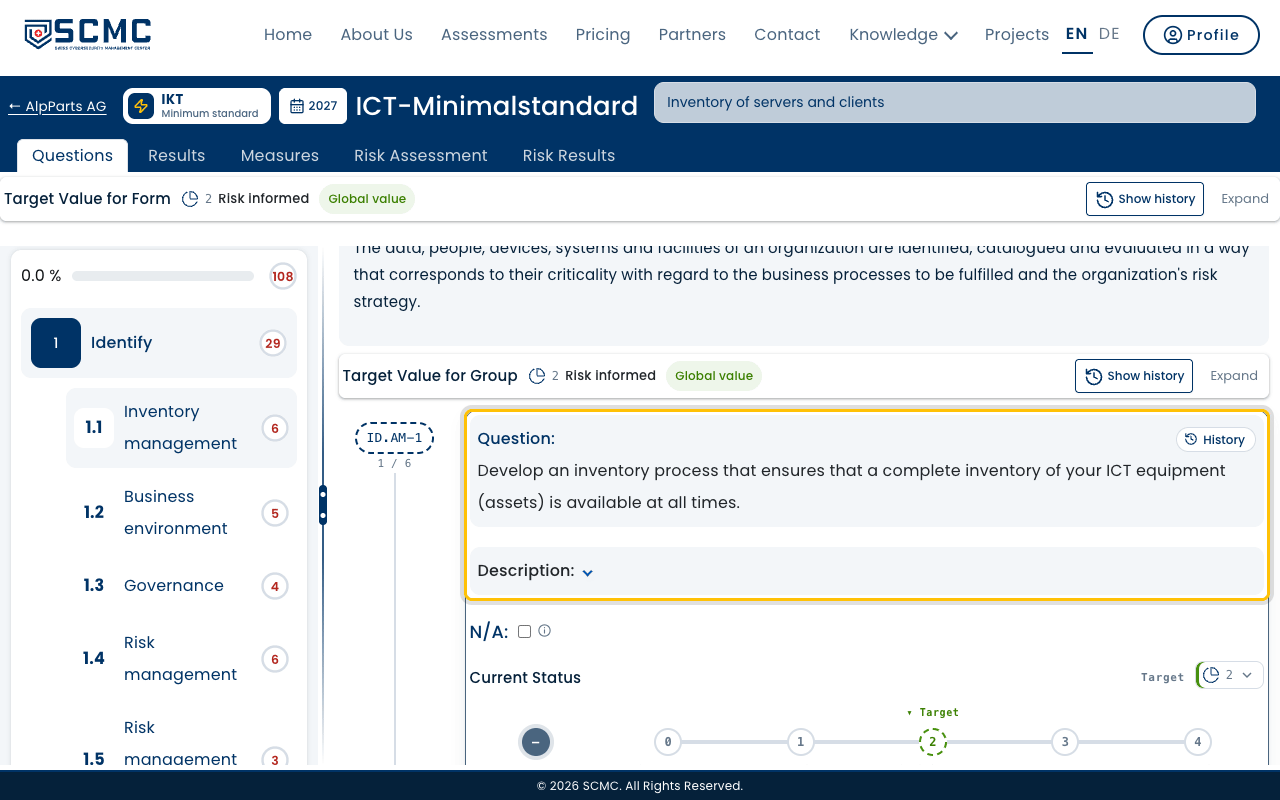
Choose the area on the left, its questions are on the right.
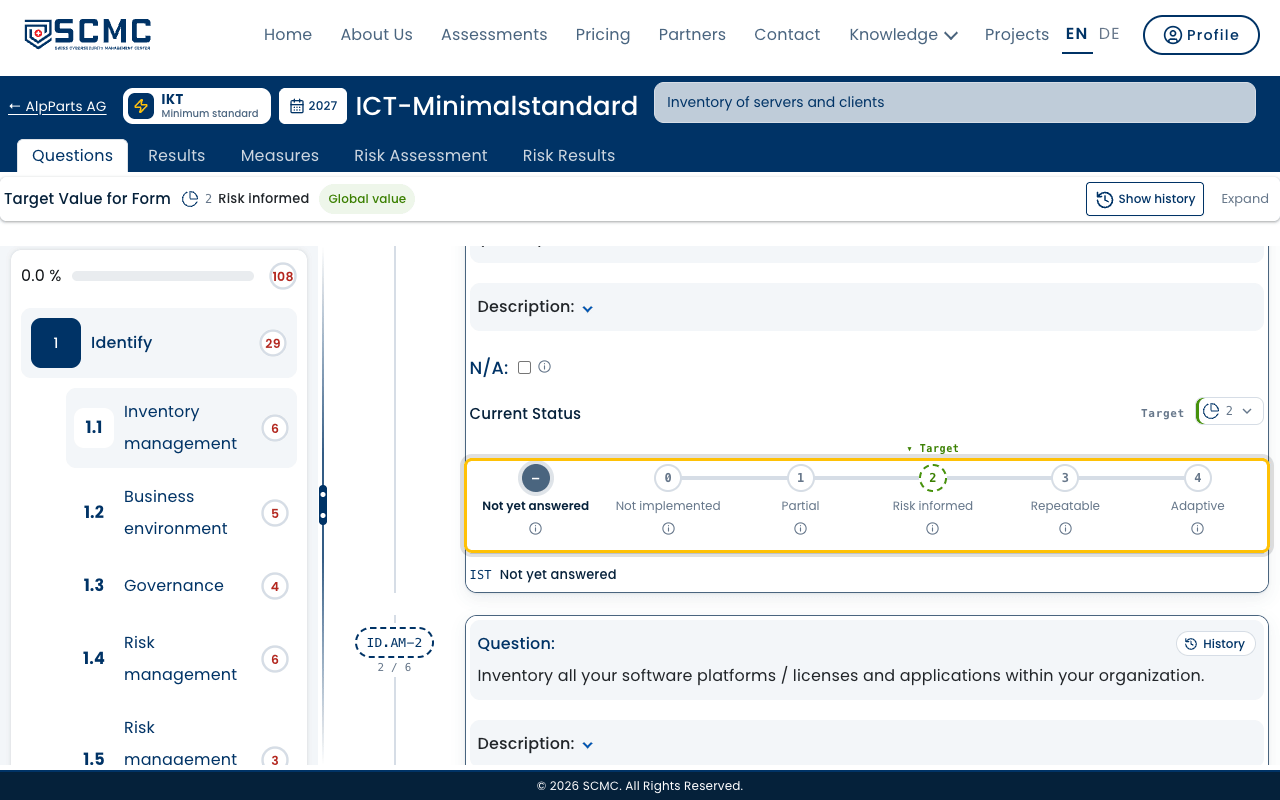
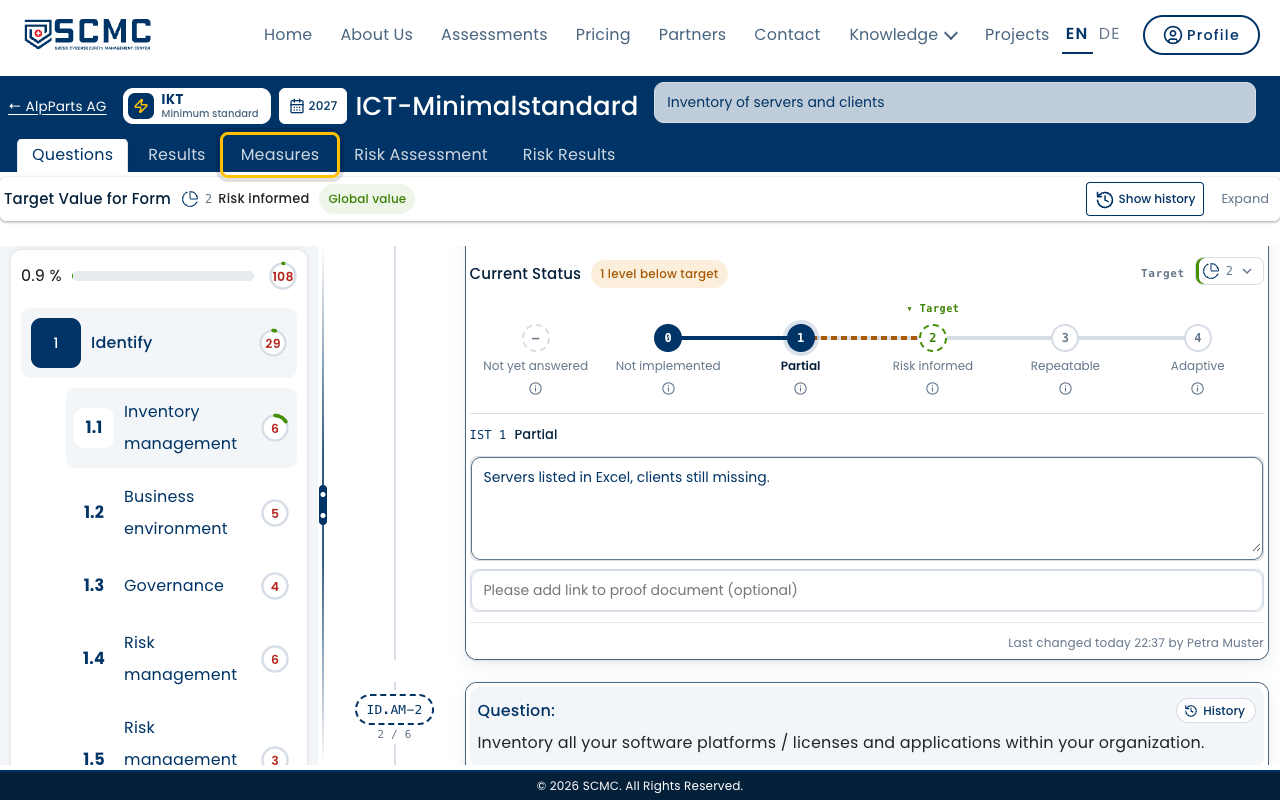
Choose the current state: how far the requirement is met today.
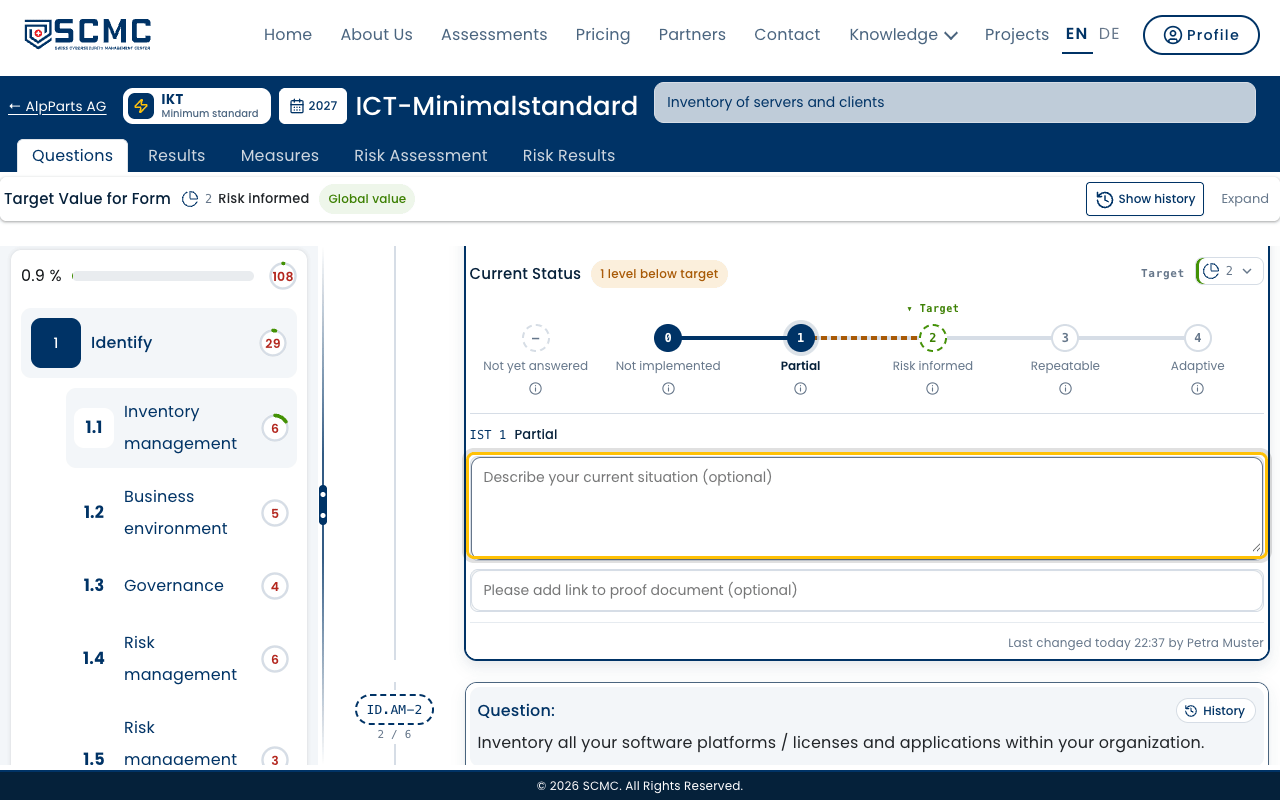
Describe the current situation in a few words. The field is optional.
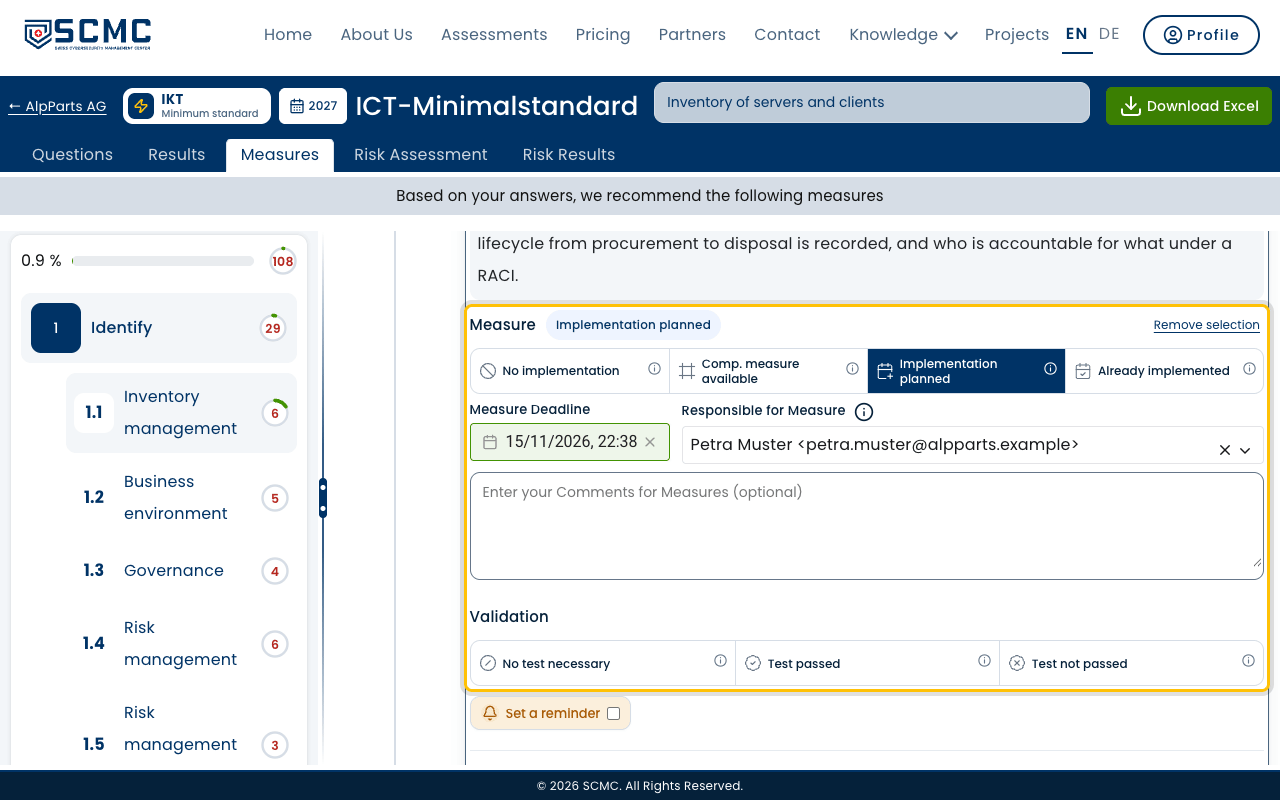
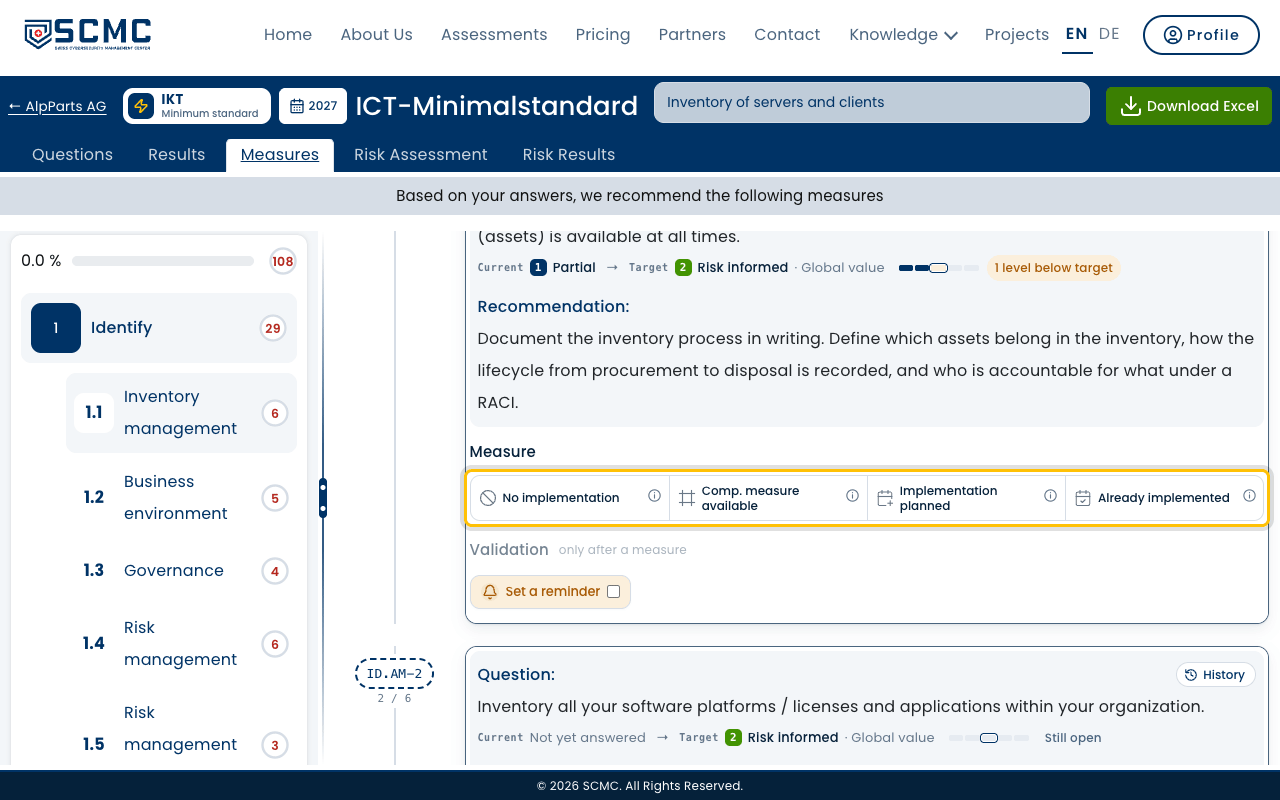
Switch to the “Measures” tab. It shows a recommendation for every gap.
Choose how you deal with the gap, here “Implementation planned”.
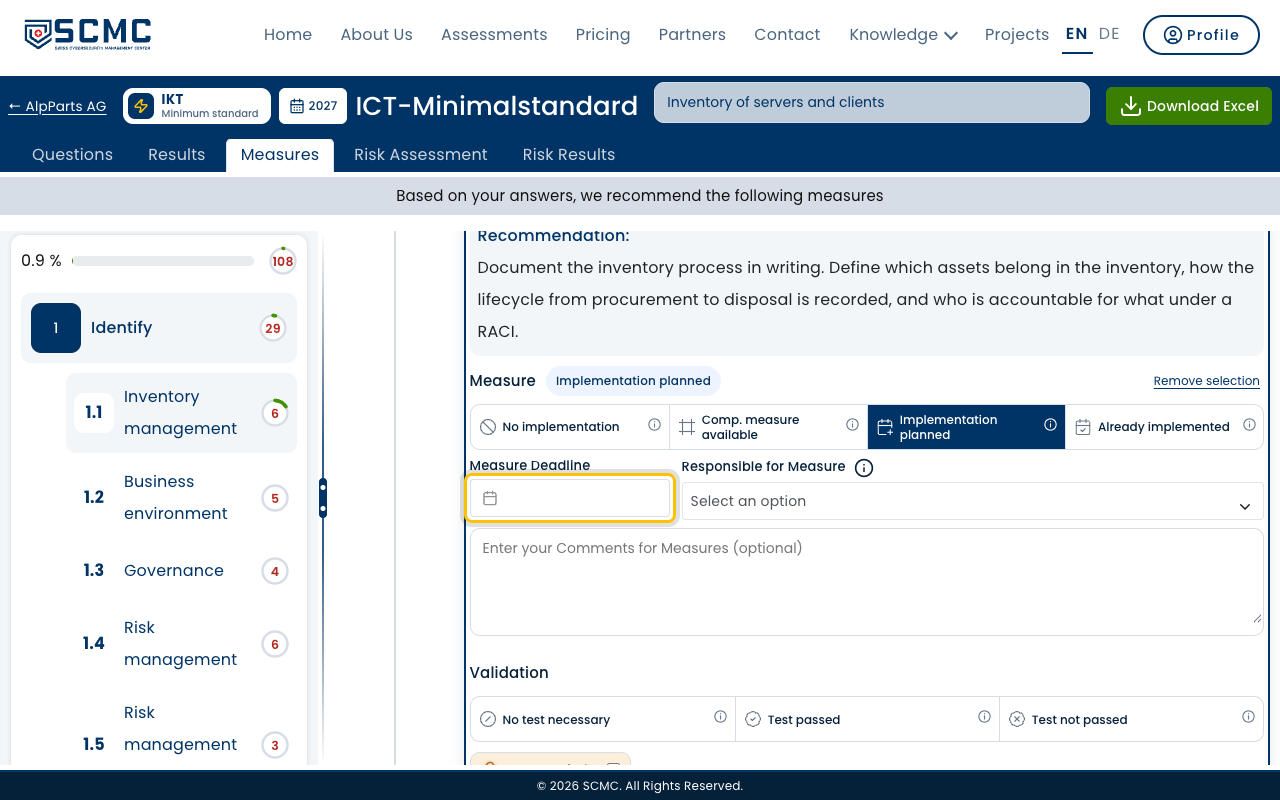
Set a deadline for the measure.
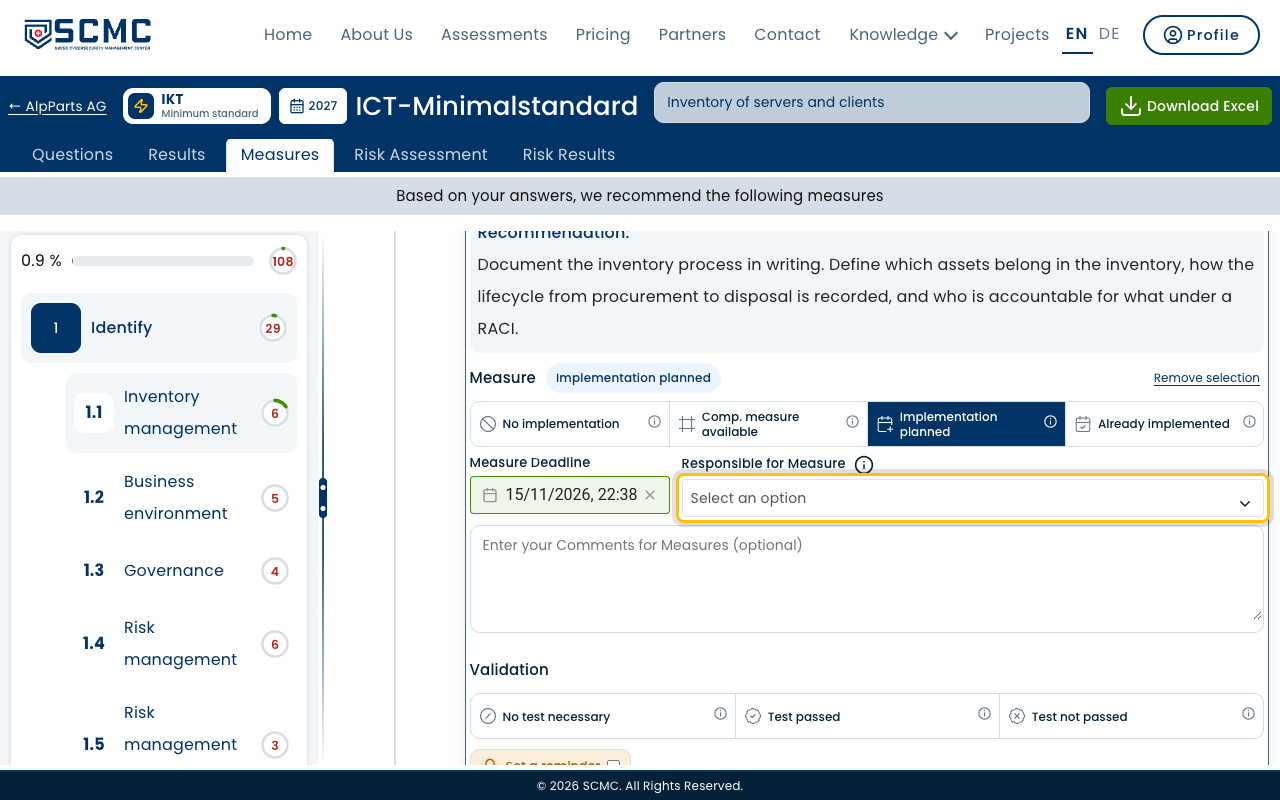
Choose who is responsible for the measure.
Done. The measure now shows in that person’s “My Tasks”.