How-to
Duplicate an assessment for next year
For the next round you do not start from scratch. A duplicate takes over answers, SOLL and measures, and you only change what has changed.
Step by step
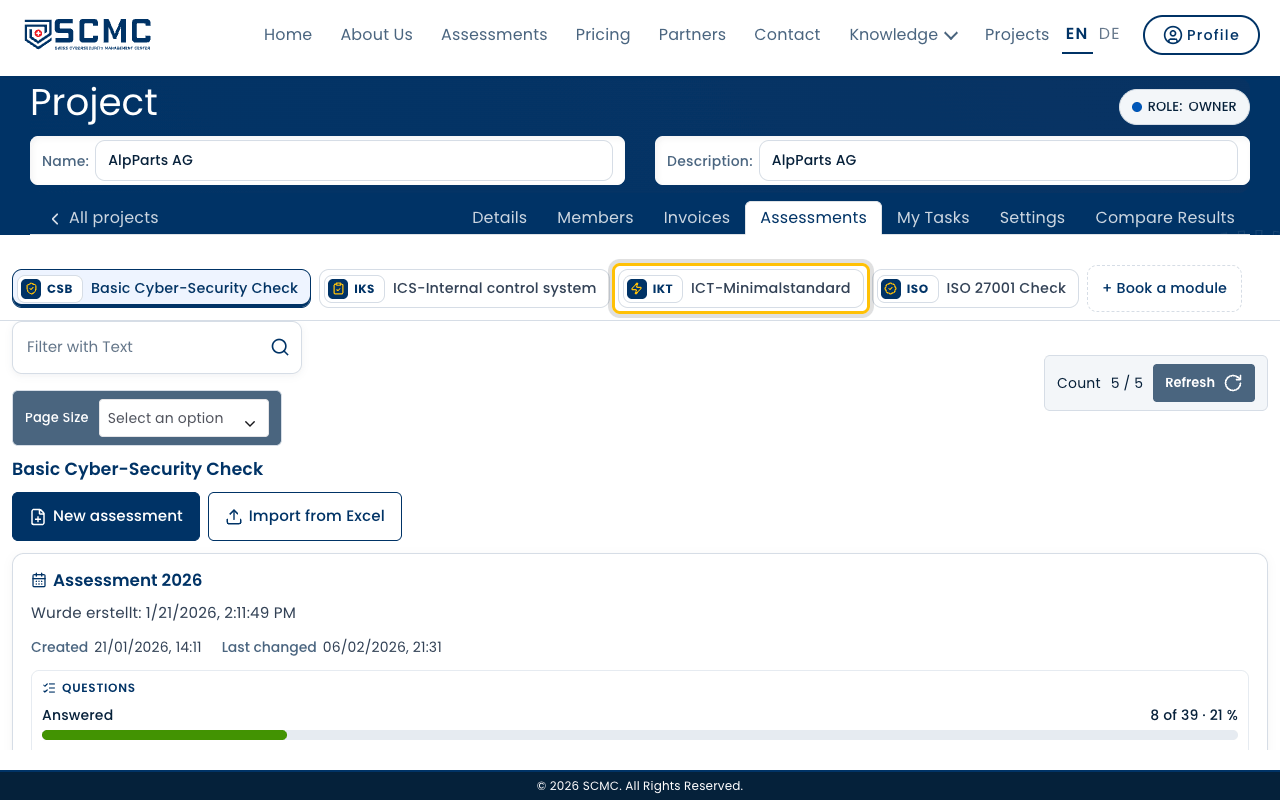
Open your project and choose the module of the assessment at the top.
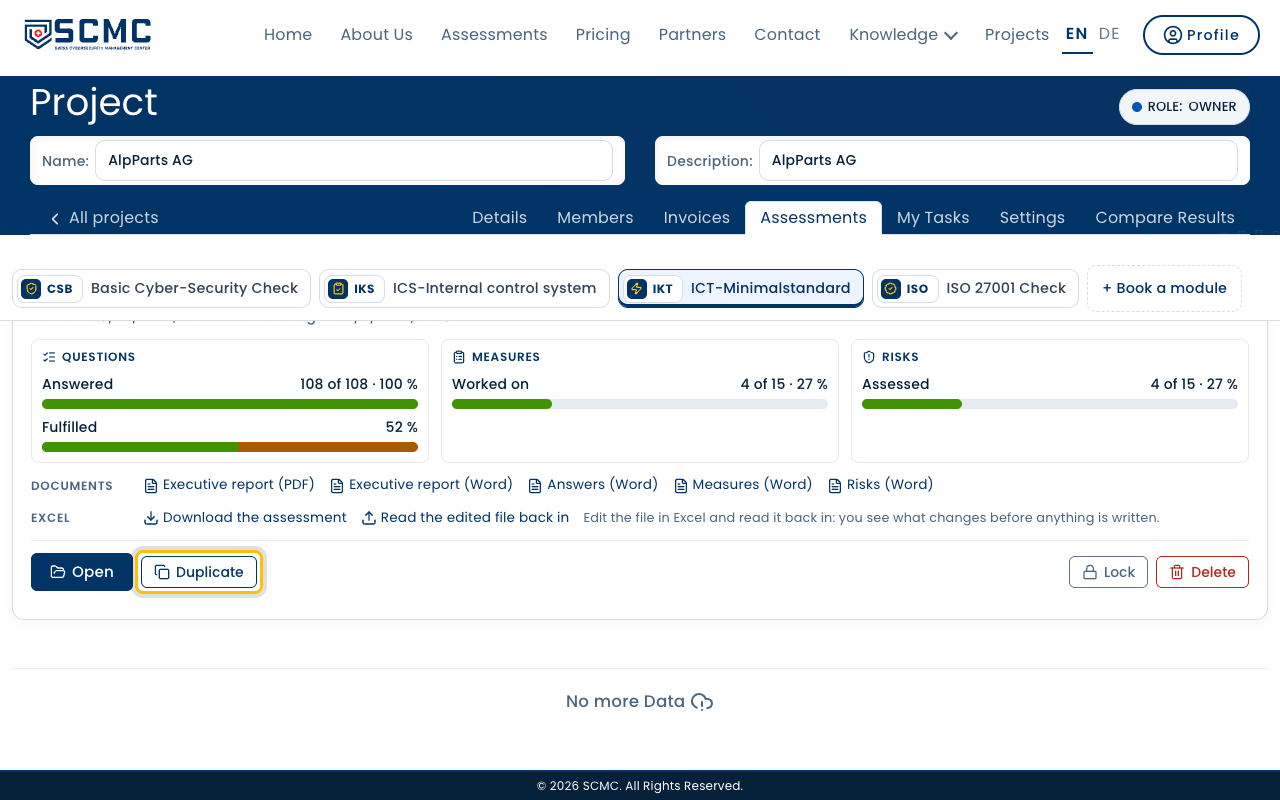
Click “Duplicate” on the assessment.
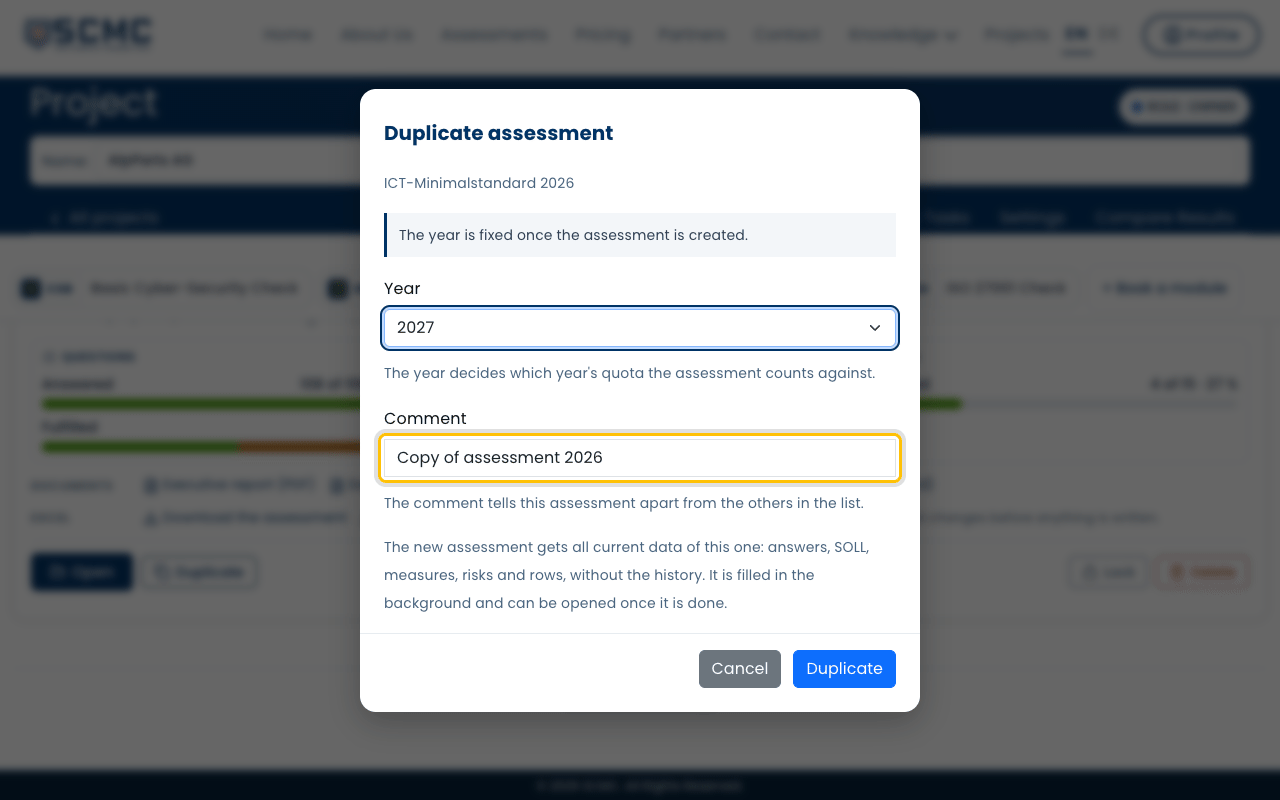
Choose the year of the new round.
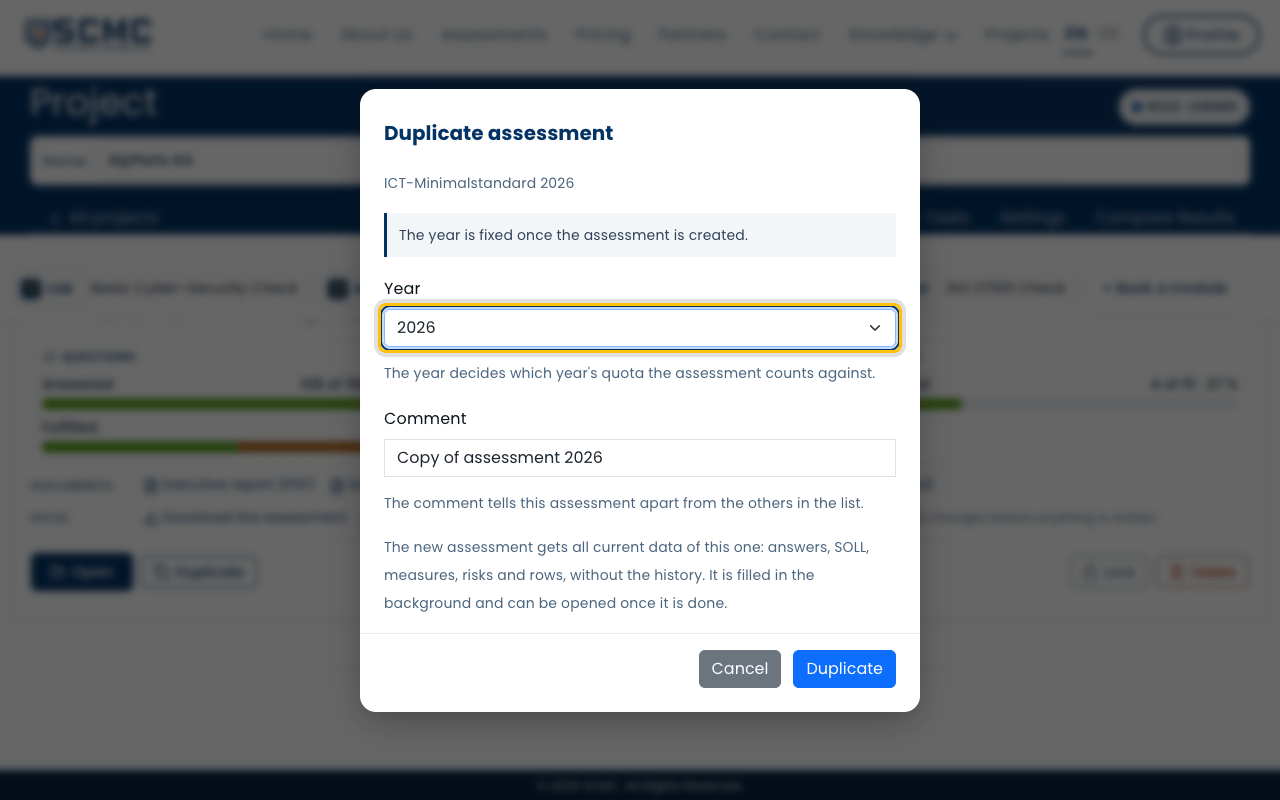
Adjust the comment, so you can tell the two assessments apart.
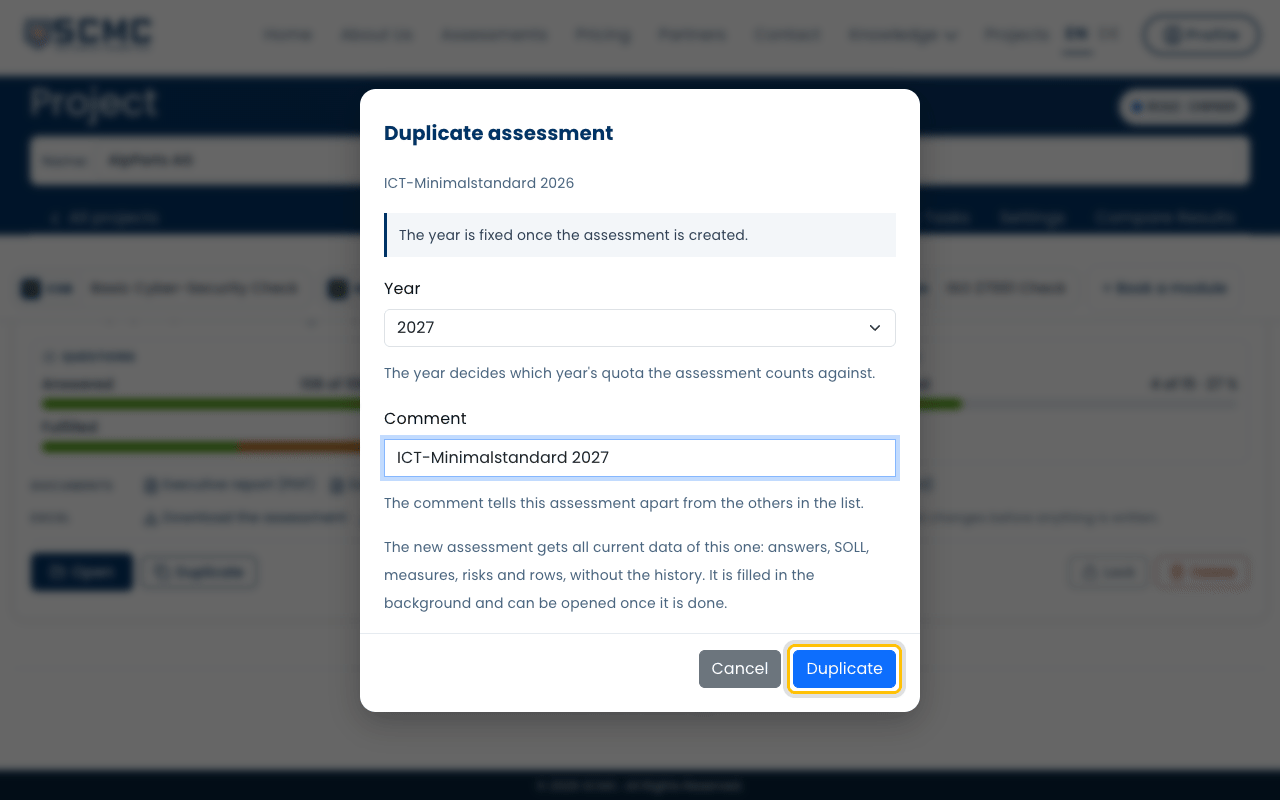
Click “Duplicate”.
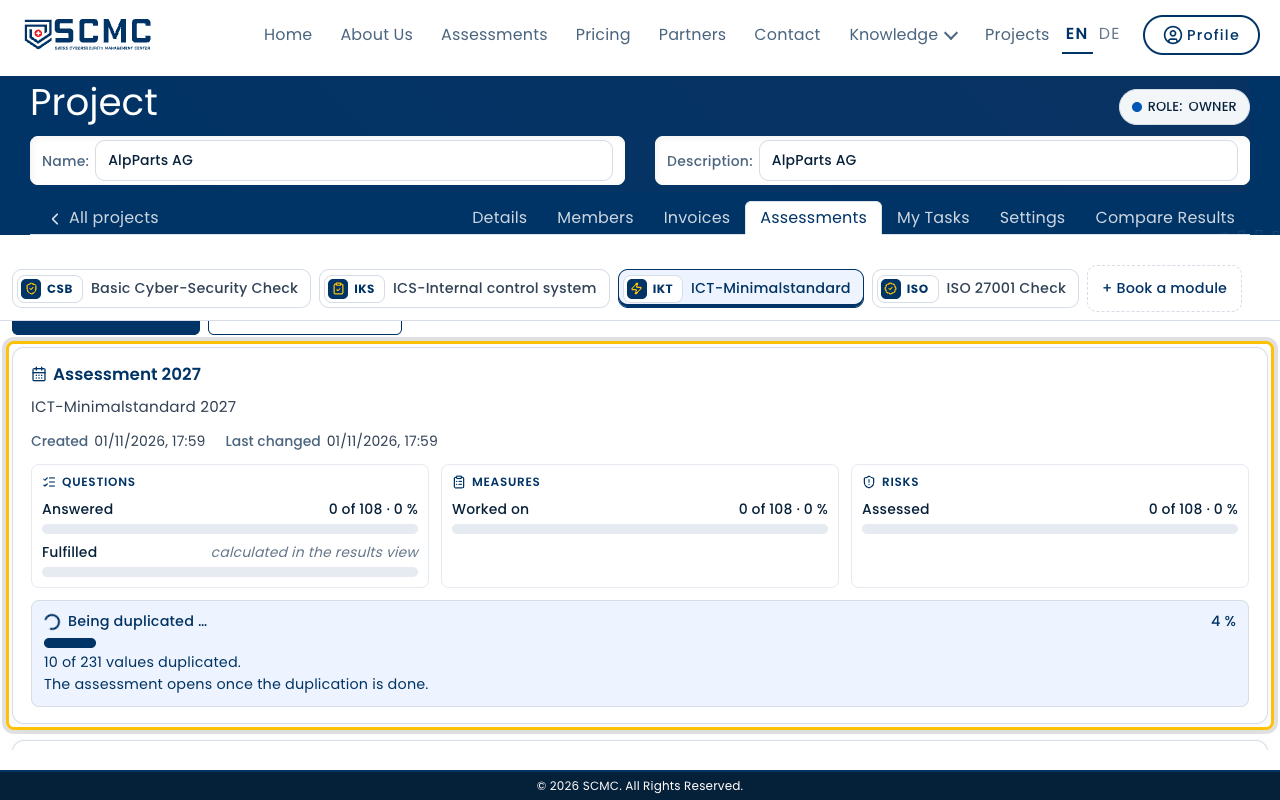
The new assessment is filled in the background. The card shows how far it has got.
As soon as it is done, click “Open”.
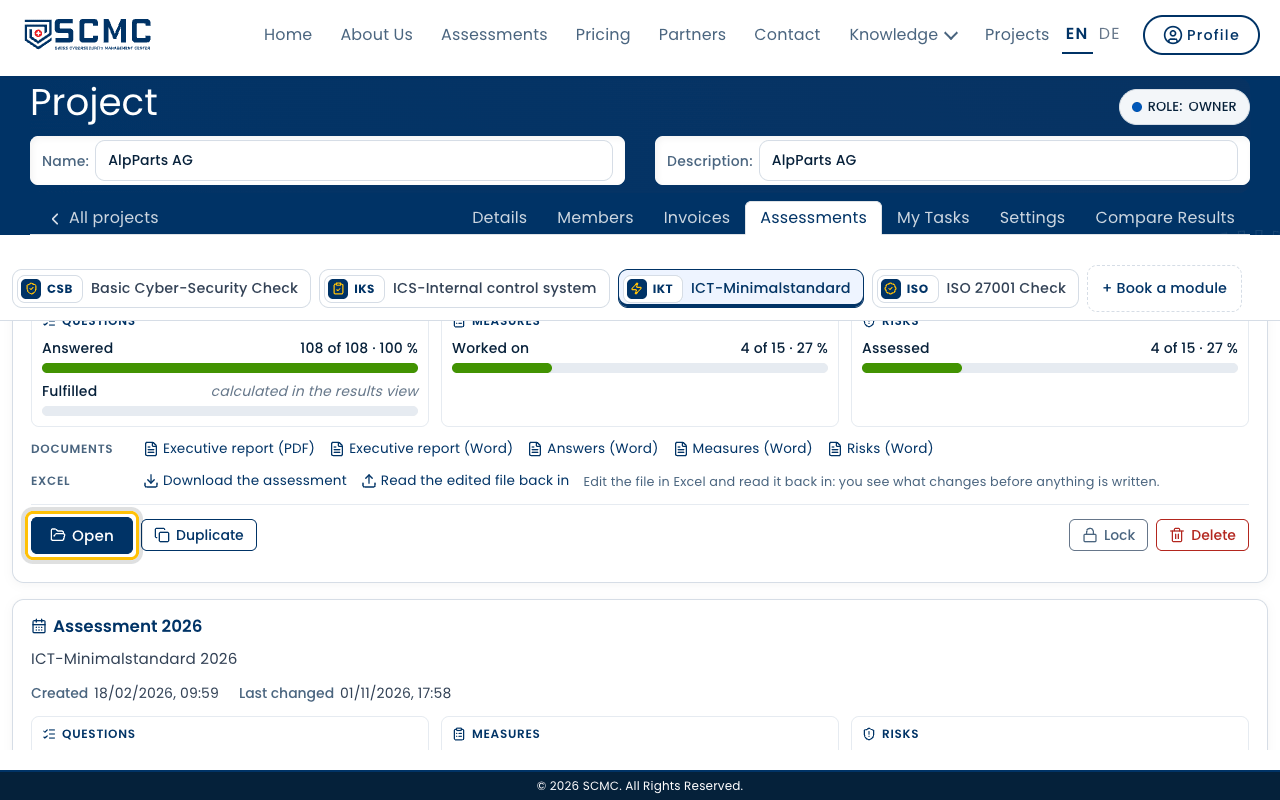
Answers, SOLL and measures are taken over. Change what has happened since.