How-to
Require MFA in a project
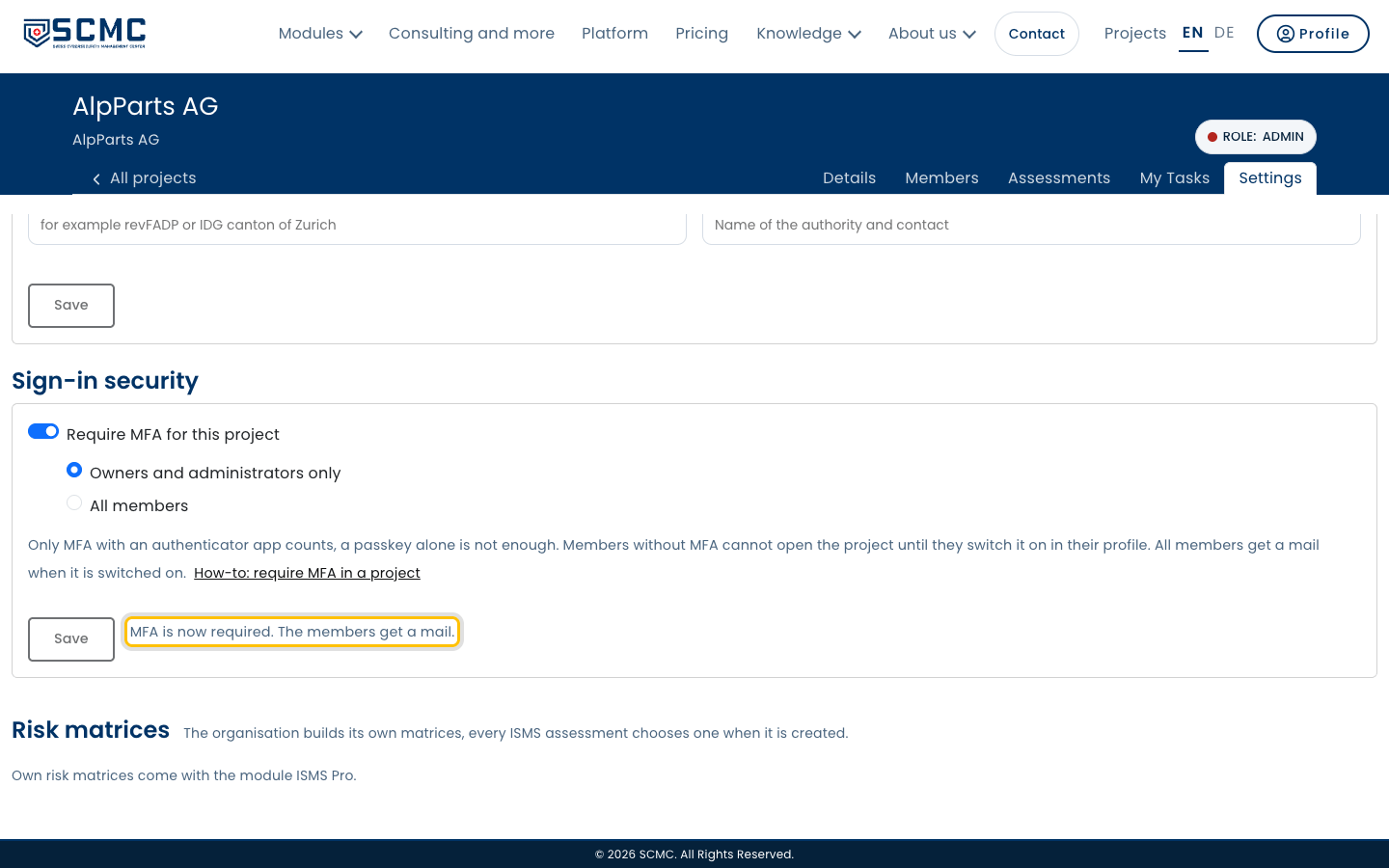
As an owner or admin you decide that your project opens only with MFA: for owners and administrators or for every member.
Step by step
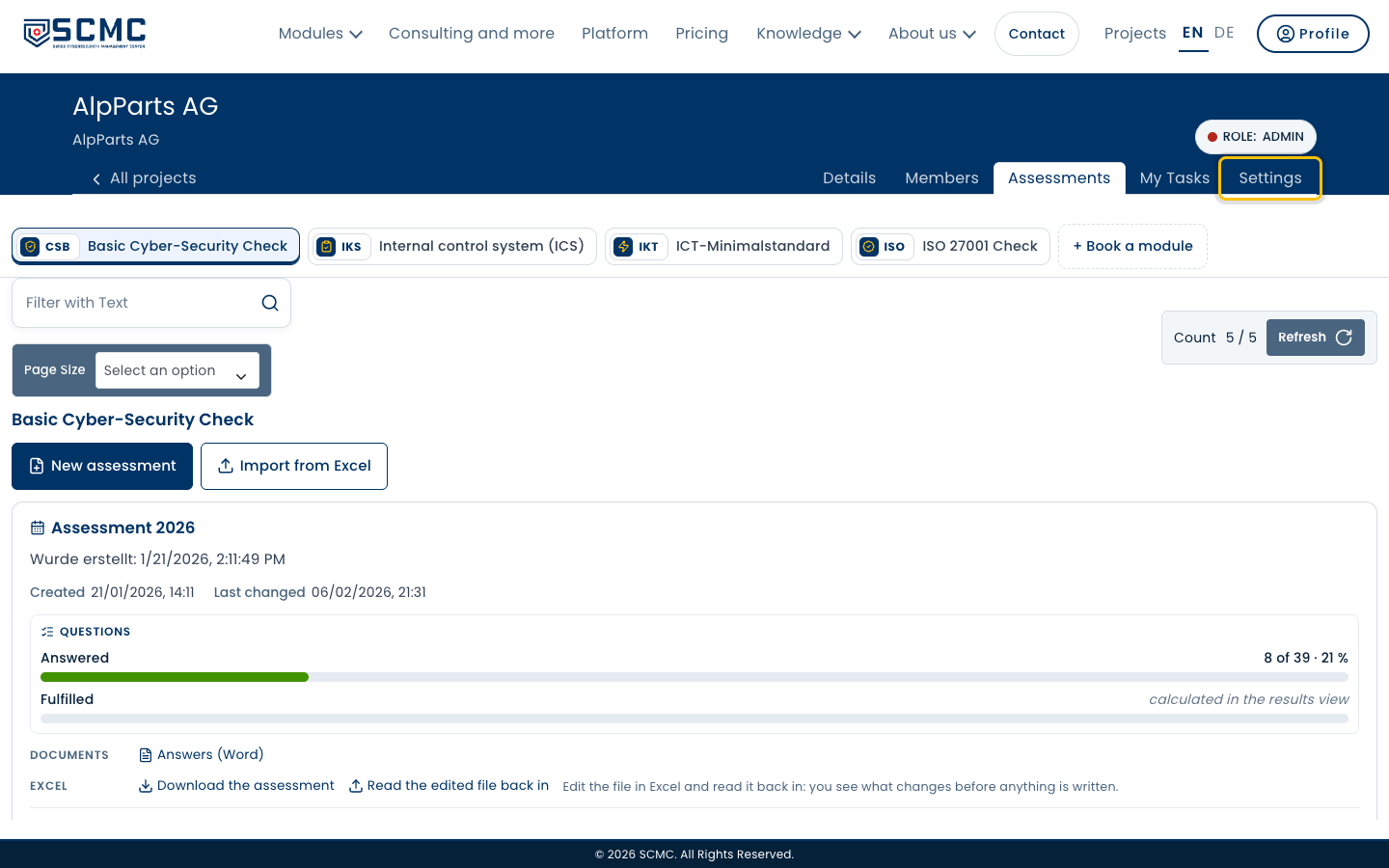
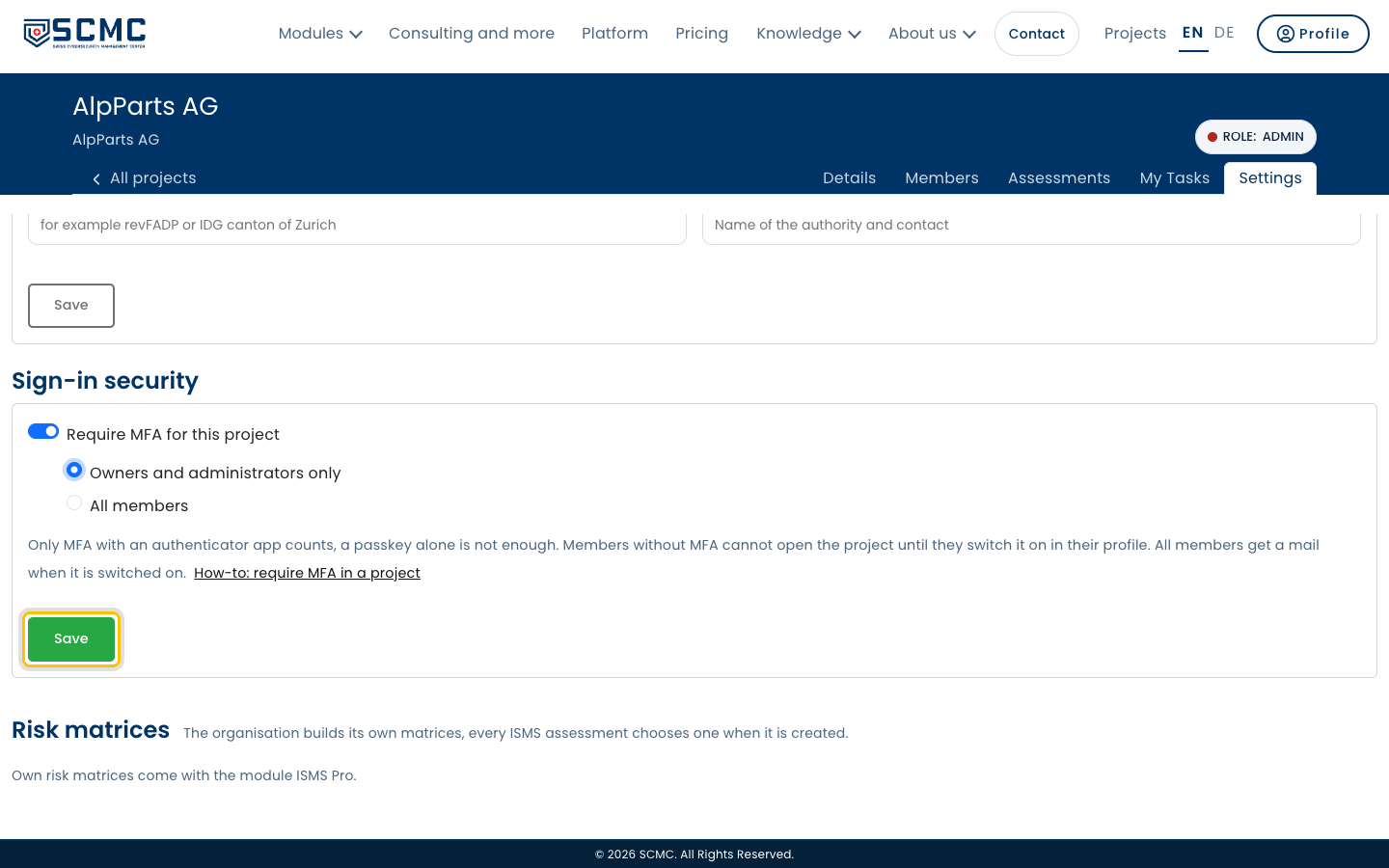
Open your project and its “Settings” tab.
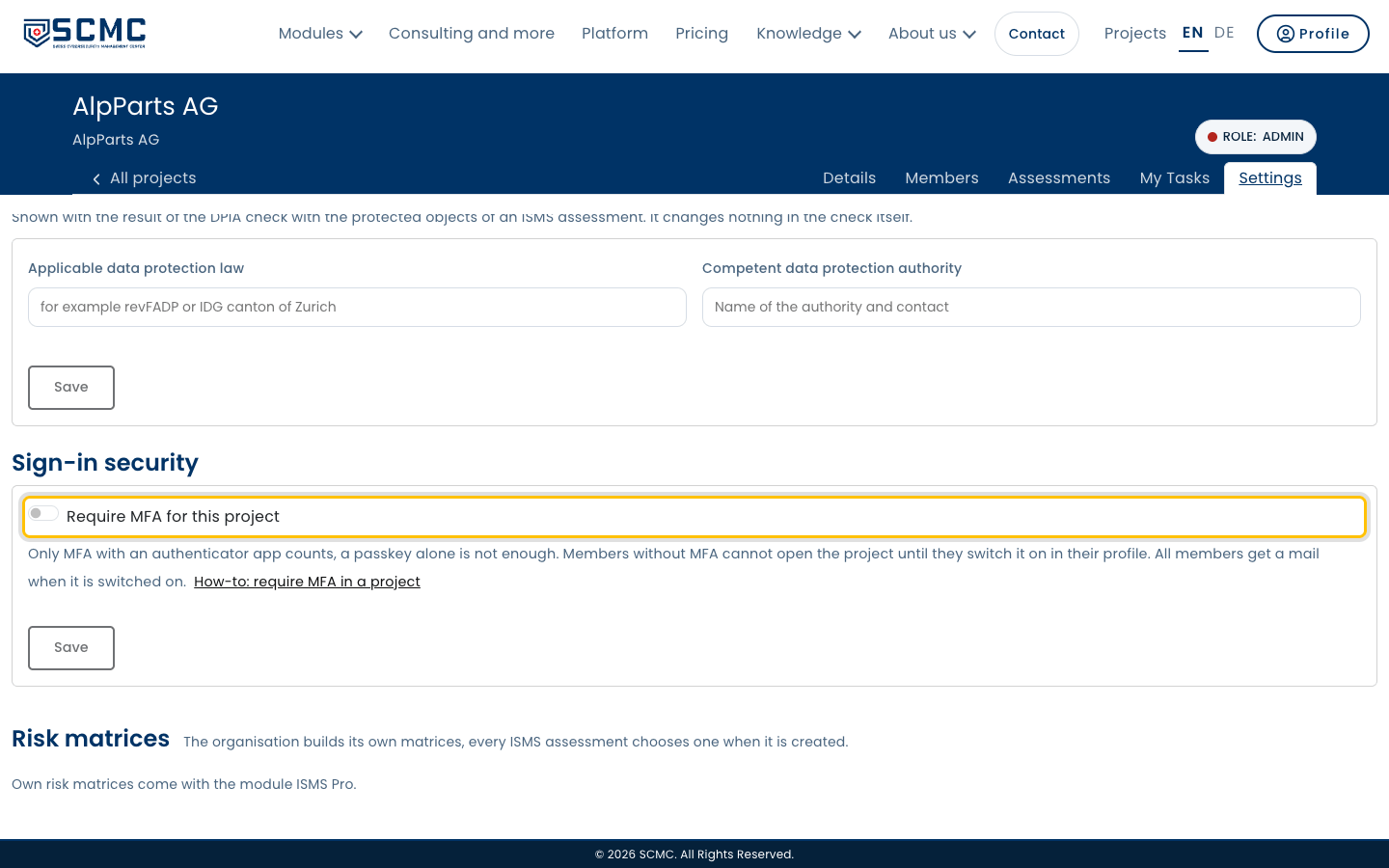
Under “Sign-in security”, switch on “Require MFA for this project”.
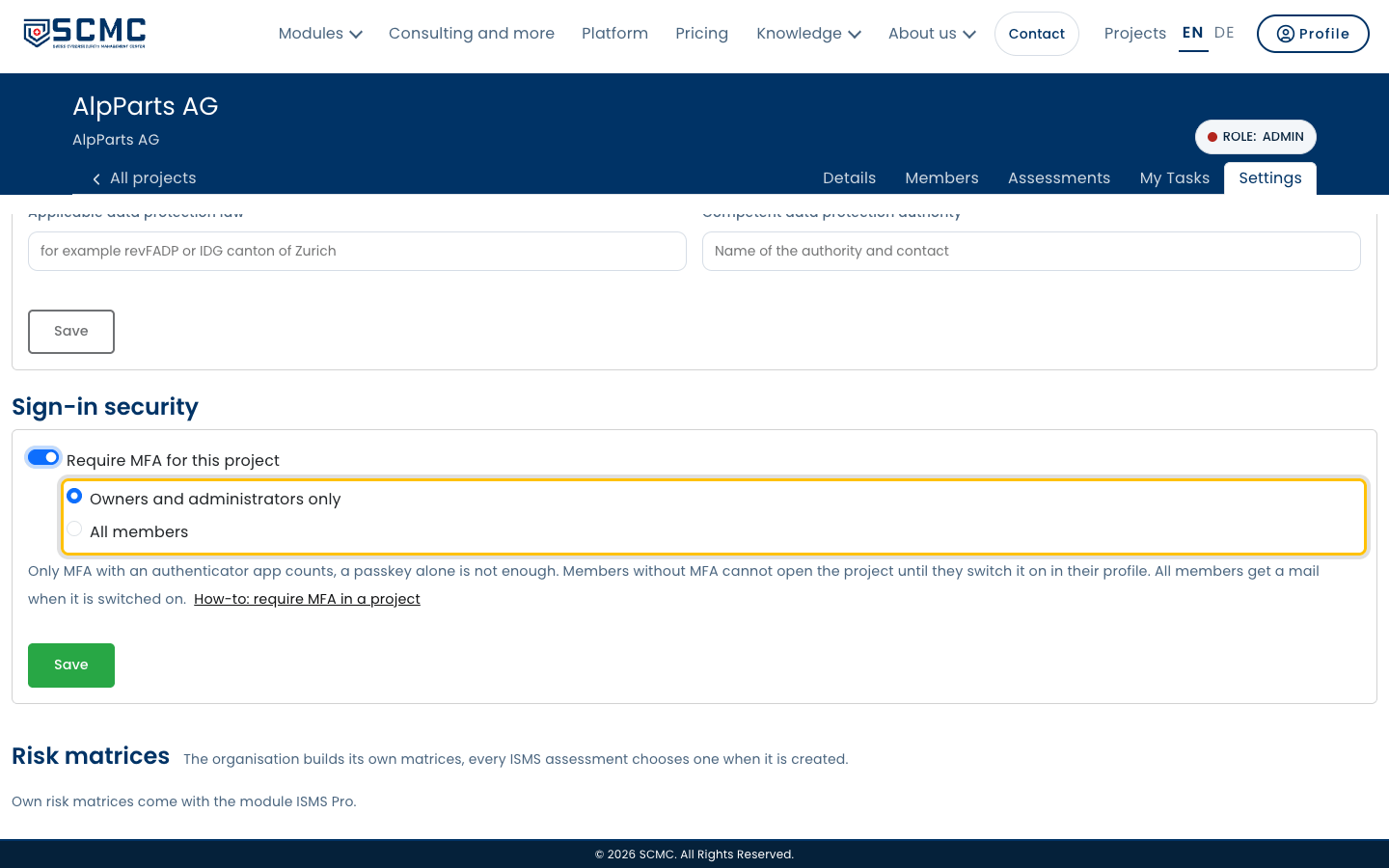
Choose who it covers: only owners and administrators, or every member.
Click “Save”.
SCMC shows how many members have no MFA yet. Confirm with “Yes”.
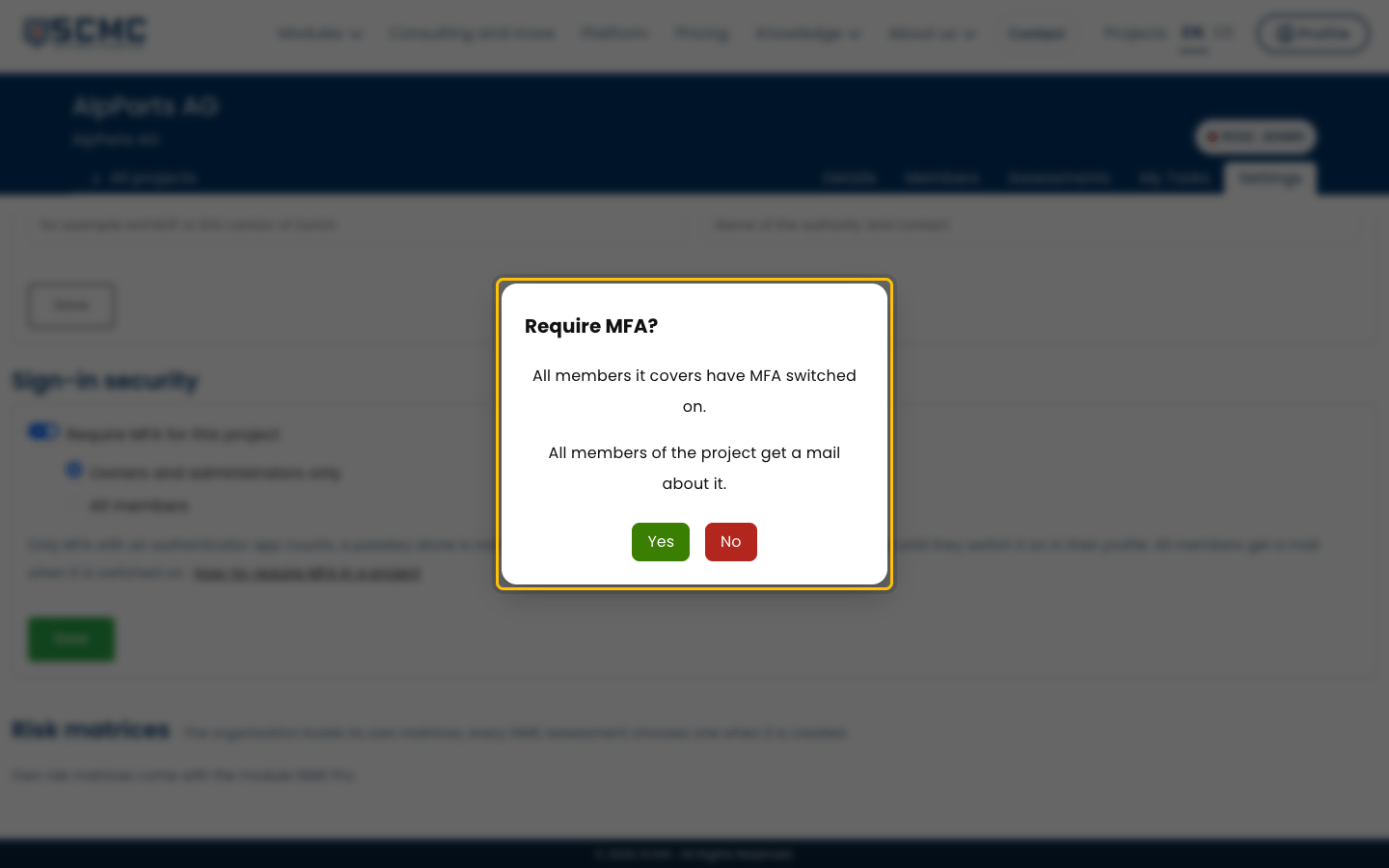
The requirement applies at once, and every member receives an email about it.